![Weatherford-150.jpg]](https://hs.weatherford.com/hs-fs/hubfs/Weatherford-150.jpg?height=50&name=Weatherford-150.jpg)
Global User Interface
Theming
- A refreshed color palette was applied to both light and dark modes in PetroVisor, delivering a contemporary and enhanced user interface experience.


Predict
ML
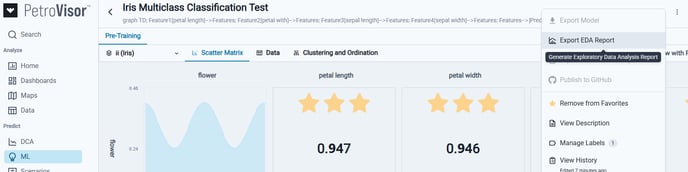
- A new "Export EDA Report" option was introduced to the overflow menu, enabling users to automatically generate and export an Exploratory Data Analysis Report.
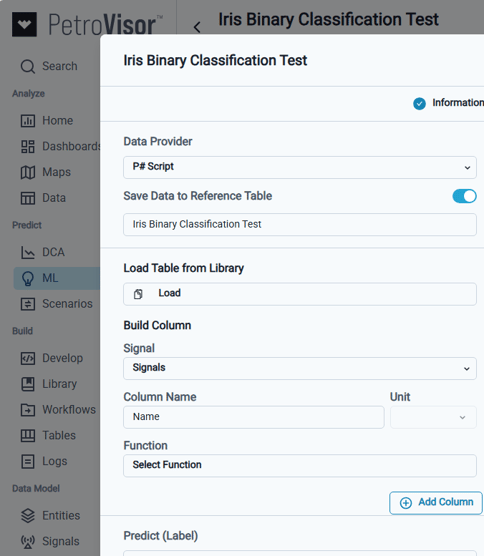
- The creation of ML models now supports using data from a selected Reference Table that can be used to train data, allowing users to specify the table name and choose columns for features and labels. Functionality was provided to save results to the Reference Table in the Data tab during results editing.
Build
Tables
- Users with View permissions for a Reference Table can now View and Export its data.



Data Model
Sources
- It is now possible to change the data source type without removing existing mappings, streamlining the implementation workflow.
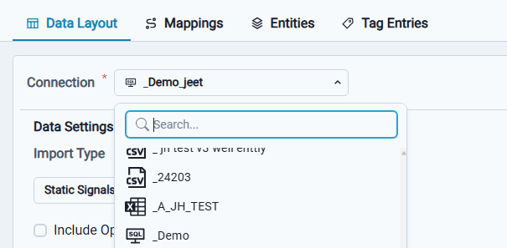
- The CygNet data source was enhanced to support the Entities and Static Signals data Import Types.
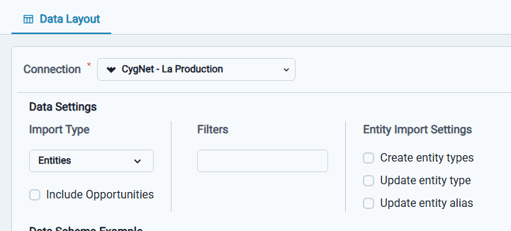
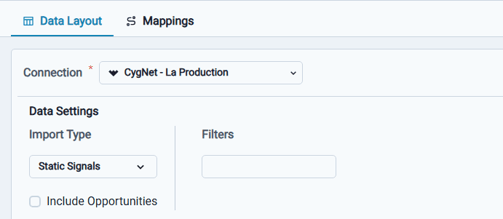
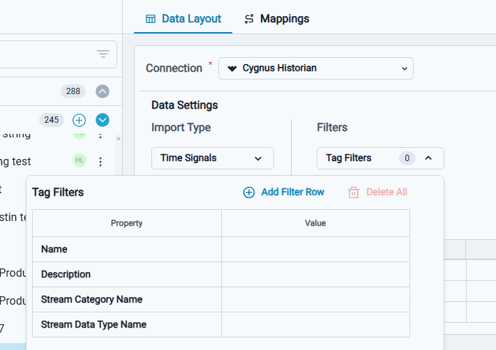
- The CygNet Historian data source was enhanced to support Tag Filters for Time Signals data Import Types.
- When selecting an Excel Sheet as a data source, you can now define the value for the newly added Data Column.
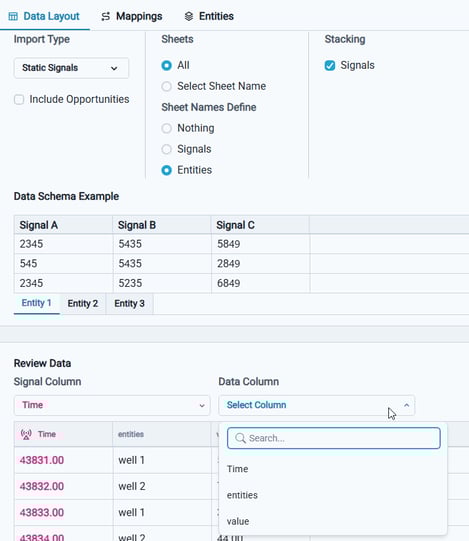
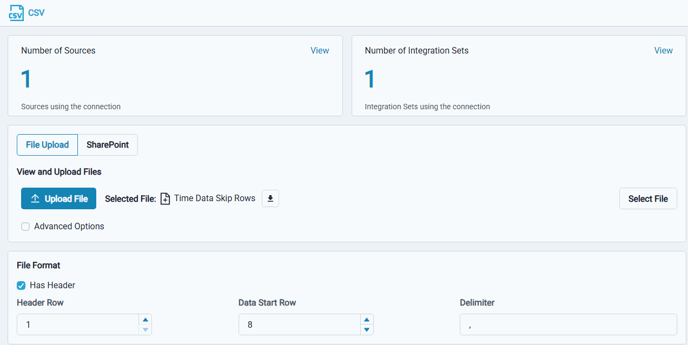
- Connections now allow you to specify which row contains headers and where data rows begin for imported files.
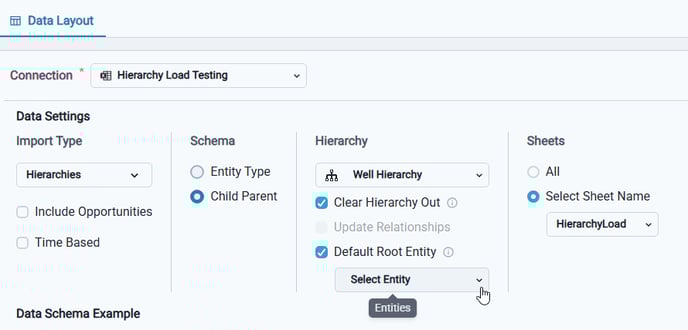
- A new default root entity option was added, enabling you to load hierarchies when a top-level entity is not defined in the source data.
Workspace Settings
Workspace Values
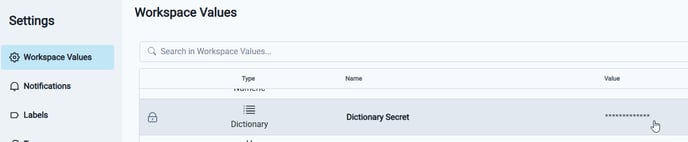
- Within the admin application, Workspace Values can be created that remain hidden to other users.
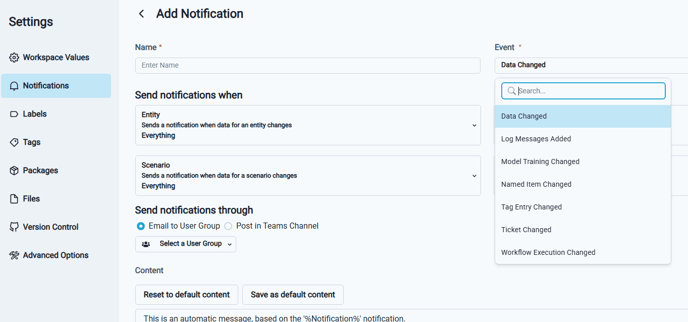
Notifications
- Notifications can now be configured for Data Changed event types.