![Weatherford-150.jpg]](https://hs.weatherford.com/hs-fs/hubfs/Weatherford-150.jpg?height=50&name=Weatherford-150.jpg)
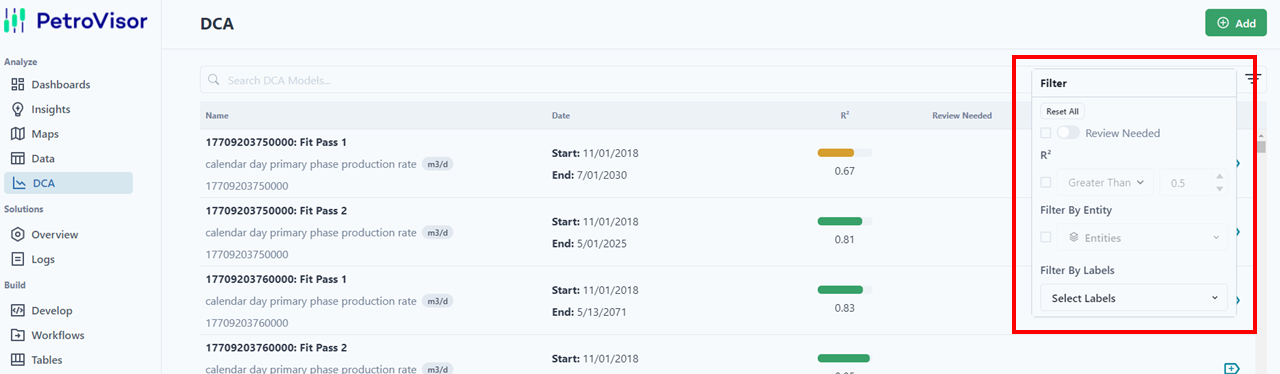
The DCA has many different ways to filter: Name, Date, R2, Review Needed, and Labels.
To filter by Labels, please refer to Labels article.
The R2 value is highlighted different colors depending on the fit. Anything less than R2=.5 is red. From R2 =.51-.75 is yellow, and anything greater than R2=.75 is green.
To filter, users can select the filter on the right side of the search bar.