
Requirements
Hardware Requirements
| Minimum | Recommended | |
| Processor (CPU) | Dual Core | Quad Core |
| Memory (RAM) | 8 GB | 32 GB |
| Free Disk Space | 20 GB | 200 GB |
Software Requirements
- Operating System: Windows 10/11 or Windows Server 2016 (and above)
- SQL Server 2016 or later
- .NET 10 or later
Installation Steps
- If not already available, download and install the latest .NET components and reboot the server afterwards:
- ASP.NET Core Runtime – Hosting Bundle for Windows
- .NET Desktop Runtime – x64 (includes .NET Runtime)
- Edge WebView2 Runtime
- Run the PetroVisor installer and complete the setup
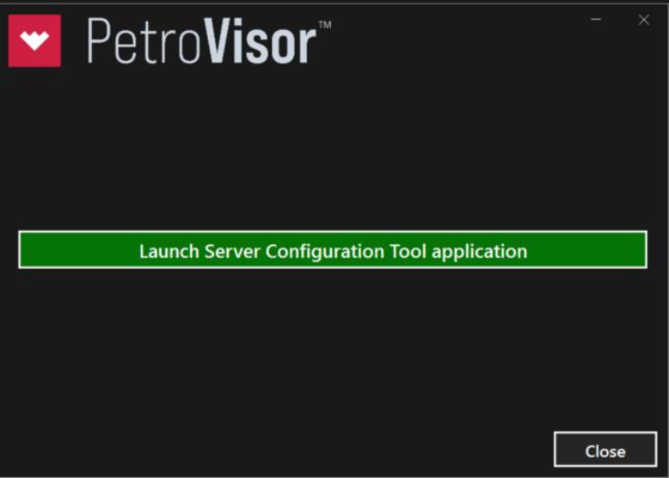
- When prompted, launch the Server Configuration Tool
- Click Activate license key
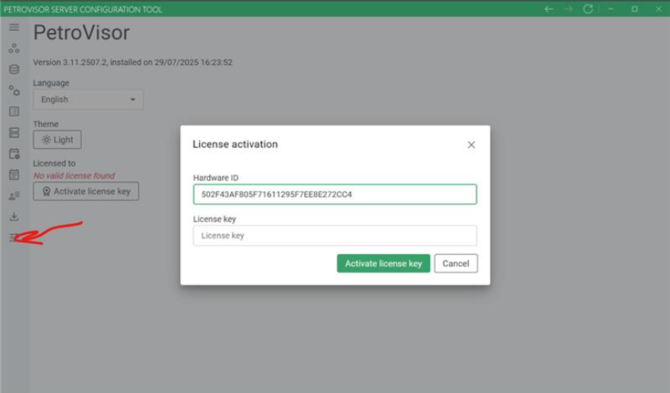
- To obtain a license key, contact your Project Delivery Lead and provide the Hardware ID shown in the activation window. The Project Delivery Lead will generate the license and provide the key to you
- Enter the license key and click Activate license key
Service Configuration
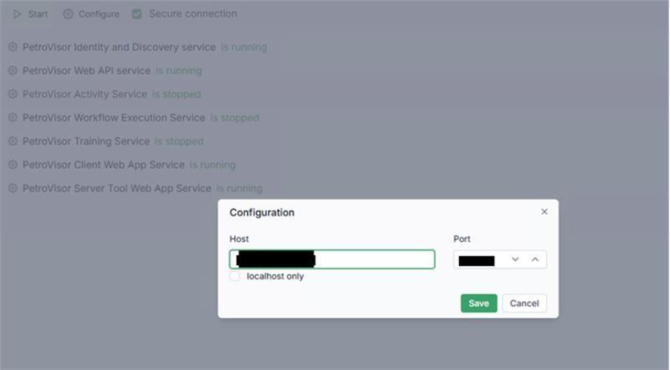
- Review the configuration of all services using the Services menu. If access to the services is needed from other machines, make sure to configure the hosts firewall appropriately
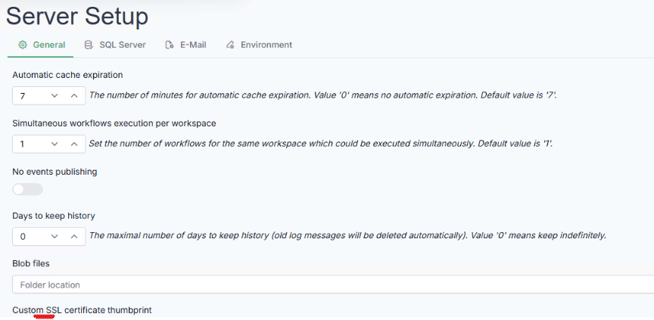
- For secure communication with the services, a custom SSL certificate may be used. Install the certificate on the host and specify the certificate thumbprint in the server setup
Power BI Configuration
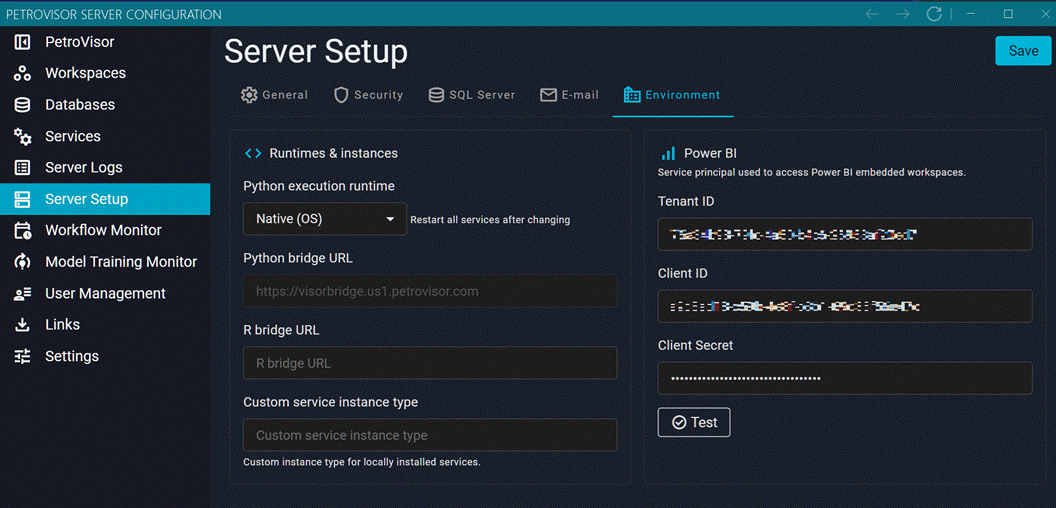
To configure PetroVisor to use a customer-managed Power BI/Fabric tenant instead of PetroVisor's default Power BI Embedded instance, create a Microsoft Entra service principal and configure PetroVisor with the corresponding Tenant ID, Client ID, and Client Secret.
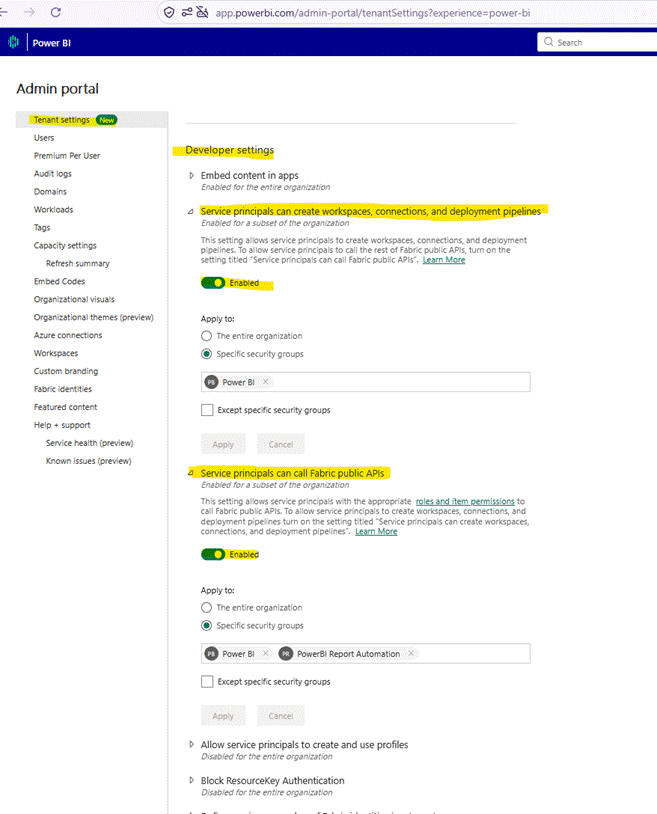
Add the service principal to a Microsoft Entra security group and enable the appropriate settings in the Power BI/Fabric Admin Portal:
- Service principals can create workspaces, connections, and deployment pipelines
Required if PetroVisor should automatically create Power BI workspaces and related resources through the Fabric APIs. If workspace provisioning is handled manually, this permission may not be necessary. To provision a workspace manually, make sure the Power BI workspace name exactly matches the PetroVisor workspace name. - Service principals can call Fabric public APIs
Required for PetroVisor to access Power BI/Fabric resources such as workspaces, reports, and other artifacts through the public APIs.
In addition, the service principal must be granted appropriate access to the Power BI workspaces that PetroVisor will use. Tenant-level settings alone do not provide access to workspace content.
Federated identity management
To enable Microsoft Entra ID SSO for an on-prem PetroVisor deployment, the PetroVisor application must be available in the customer's Entra ID tenant and the required permissions must be consented to.
For user authentication and basic profile retrieval, the Microsoft Graph User.Read delegated permission is typically sufficient.
If PetroVisor is configured to map Entra ID groups to PetroVisor groups by querying Microsoft Graph for group memberships, the GroupMember.Read.All permission is additionally required. This permission requires administrator consent in the customer's tenant.